How to Organize Your Workspace So It Actually Helps You Work
A practical guide to setting up your desk, lighting, cables and screen so getting started feels easy. Step by step, with setups for home, office, small apartments and shared spaces.
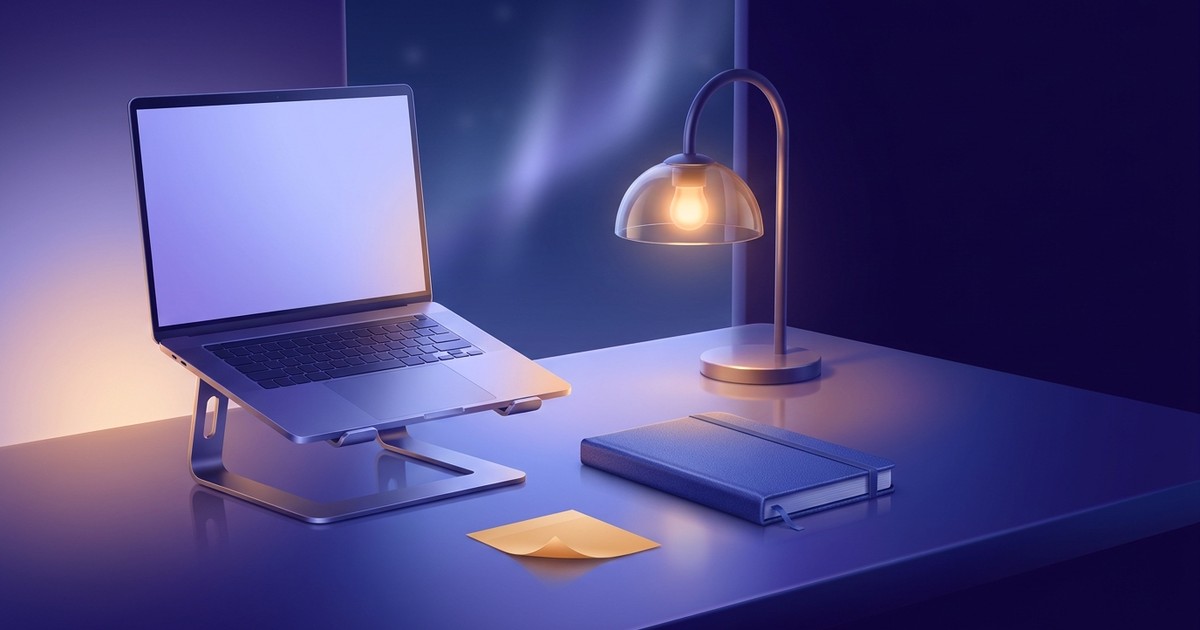
You sit down to work and spend the first ten minutes clearing space. You push aside yesterday's mug, hunt for the charger, shuffle a pile of papers you keep meaning to sort. Then the pen is dead, and the laptop sits so low that your neck starts aching within an hour. You haven't done anything yet, and you already feel drained.
A good workspace has little to do with how it looks on Instagram. It comes down to one thing: how much friction sits between you and the first useful action of the day. Less friction means it's easier to start, and starting is usually the hardest part.
To make your workspace help you work, keep only what you need for the current task on the desk, and give everything else a fixed home within one reach. Start with three basics: screen at eye level, light coming from the side or front, and a chair that lets your feet rest flat on the floor. Then clear off anything you haven't used today, sort your things into "within reach", "nearby" and "storage", and end each day with a five-minute reset: put everything back and leave one task out for tomorrow. Order holds when every item has a home it returns to.
Why your workspace affects your work
Every object in your line of sight pulls at your attention a little. The unpaid bill reminds you it exists. The open book asks to be finished. The phone lying face up waits for the next notification. Each one is small, but together they create background noise that makes it hard to sink into one thing.
The second reason is physical. When your setup is uncomfortable, your body looks for an excuse to get up. You fidget, shift, check something else. Discomfort rarely registers as "I'm uncomfortable". It usually sounds like "I just can't get into it today".
The third reason is a signal to your brain. If you work, eat, watch shows and scroll at the same table, that spot stops meaning anything in particular. When work has its own place, even a small one, sitting down there becomes a switch: this is where I get things done.
You decide to "get organized once and for all", spend a Saturday on it, buy a set of desk organizers. Two weeks later the desk looks exactly like before. That's not laziness. You created order, but you never decided where things go back to every day. Without that, every cleanup is temporary.
Start with your body: chair, desk, screen
Before arranging anything, set up the parts your body leans on all day. This gives you the biggest payoff for the least time.
Chair. Feet flat on the floor, knees roughly level with your hips. If the chair is high and the desk doesn't adjust, put something under your feet: a footrest, a sturdy box, a stack of thick books. Your back should rest against the backrest instead of hovering.
Desk. When you type, your elbows bend at roughly a right angle and your shoulders stay relaxed. If your shoulders creep up toward your ears, the desk is too high or the chair too low.
Screen. The top edge of the screen sits at or slightly below eye level, about an arm's length away. A laptop placed directly on the desk is almost always too low: you look down and slouch. The fix is simple – a laptop stand plus an external keyboard and mouse. No stand? A stack of books works.
These three adjustments take about fifteen minutes. Do them before buying anything. Sometimes raising your screen by four inches is all it takes to stop the evening neck ache.
Lighting: the part most people skip
Bad lighting wears you down without you noticing. Your eyes strain, you squint, and by evening your head feels heavy.
A few simple rules:
- Window to the side, not behind you or behind the screen. A window behind you puts glare on the screen. A window directly behind the monitor forces your eyes to keep adjusting between a bright background and the display.
- In the evening, don't rely on the ceiling light alone. A single overhead light casts shadows and leaves a flat, dim background. A desk lamp pointed at the desk, away from your eyes, fixes that.
- Your screen shouldn't be the brightest thing in the room. If everything around you is dark and the monitor glows, your eyes tire faster. Turn on at least a background lamp.
If you often work late, most operating systems have a night mode that shifts the screen to warmer colors after sunset. Try it and see whether it feels better.
Zones: within reach, nearby, storage
This is the core idea of the whole article. Put every item in your workspace into one of three zones.
Within reach – things you use constantly, every few minutes or hours. Keyboard, mouse, notebook, one pen, water. These live on the desk, within arm's length.
Nearby – things you need once a day or a few times a week. Chargers, headphones, stapler, sticky notes, documents for the current project. A desk drawer, a shelf above the desk, a side organizer. You can grab them without getting up, or by standing for a second.
Storage – things you rarely need. Old files, spare supplies, past notebooks, manuals. A closet, a box on a high shelf, another room. Anywhere but the desk.
Go through your desk and ask about each item: "When did I last use this?" Today – it can stay. This week – move it to nearby. A month ago – storage.
Take a photo of your desk right now, without touching anything. Count the items on the surface. If there are more than ten, chances are half of them aren't "within reach" at all. They're just there because someone put them down once and never moved them.
Every item needs a home
Desks get messy for one main reason: things have nowhere to go back to. The pen sits on the desk because its spot is unclear. Papers pile up because there's no folder for "to sort".
The rule is simple: everything that ever lands on your desk has a specific place it returns to. Not "somewhere in the drawer" – "front section of the left drawer".
What deserves extra thought:
- Incoming paper. One tray or one folder for everything that has arrived and hasn't been dealt with. A container, not a pile on the corner of the desk. Once a week, empty it completely.
- Cables and chargers. A dedicated box or cable organizer. Clip your phone charger to the edge of the desk so it doesn't keep sliding to the floor.
- Small stuff. Paper clips, USB drives, keys. A small tray or jar instead of a loose scatter in a drawer.
- Current project. If you work with paper, keep one folder per active project in the nearby zone for as long as the project is alive.
When everything has a home, the end-of-day cleanup takes five minutes. You just put things back.
Cables, tech and your digital desk
Cables hanging off the desk make the space feel messy even when the surface is clear. Bundle them with ties or run them through a cable tray along the back edge. Mount the power strip under the desktop so you don't have to crawl underneath every time.
But your physical desk is only half the picture. The other half is your screen.
Your computer desktop. A hundred files scattered across it is the same cluttered desk, just digital. Create one "Inbox" folder for everything you download and sort it once a week.
Browser tabs. Twenty open tabs are twenty unfinished tasks staring at you. Close what you don't need for the task at hand. Worried about losing something? Bookmark it or drop it into a read-later list.
Notifications. Turn off everything that doesn't need a reply within the hour. You can check messages at set times instead of reacting to every ping.
Your phone. The simplest and most effective move: phone face down or across the room while you work on something that needs focus.
Working from home without a home office
Most people don't have a dedicated office. They work at the kitchen table, at the end of the dining table, in a corner of the bedroom. That's fine, but it takes a few tricks.
Draw a boundary. Even if the table is shared, make a corner that's yours: a specific mouse pad, a lamp you only turn on for work. Lamp on – you're working. Lamp off – the workday is over.
A pack-away workspace. If the table is needed for dinner, keep a box or basket with all your work gear: laptop, charger, notebook, stand. In the morning you set up in two minutes, in the evening you pack it away. It doubles as a ritual that opens and closes your workday.
Don't work from bed. It's tempting, but the bed soon stops feeling like a place to sleep, and the work you do there tends to be sluggish. If there's truly no other option, at least sit up against a wall with the laptop on a stand.
Noise. Noise-cancelling headphones or plain earplugs if others are home. Agree on a "I'm busy right now" signal: a closed door, headphones on.
The office and open-plan spaces
At the office a lot is out of your hands, but you can still adjust a few things.
- Get your screen and chair to the right height. You can usually request this or set it yourself.
- Keep only current work on your desk. In an open office your desk is on display, and clutter distracts more than just you.
- If colleagues often drop by "for a quick question", headphones work as a signal. Some teams agree on quiet hours.
- If there's no storage, use one lidded box or drawer where everything on the desk goes at the end of the day.
With hot-desking, when you don't have a desk of your own, a portable kit helps the most: a bag or pouch with everything you need that turns any desk into yours in a minute.
Different people, different setups
The general rules work for everyone, but some situations have their own quirks.
Students
Studying means lots of paper, textbooks and switching between subjects. One folder or shelf per subject helps, plus a separate spot for whatever is due within the next week. Keep your schedule and deadlines in one place instead of on ten sticky notes around the monitor.
Remote workers
The biggest risk of remote work is a blurred line between work and life. Here your workspace matters as a frame, not only for comfort: sit at this desk – it's work time; leave it – you're off. If the laptop stays open on the dining table all evening, work quietly keeps going.
Parents
With kids around, your workspace needs to pack down fast: anything fragile or important put away, documents in a closed folder. A small kid's table next to yours can help – they're "working too" while you work. The realistic goal is a desk where you can sit down and start within a minute when a window of time opens up. Perfection is optional.
People with ADHD
When holding attention is hard, extra objects in view get in the way even more. What helps is a minimal surface combined with everything you need being visible in the nearby zone: clear containers, open shelves. Things stored in an opaque drawer are easy to forget. Many people find one task on a sticky note right in front of the screen useful, so after a distraction it's quick to get back on track.
People who work in a stream of requests
Support agents, managers, coordinators – people who constantly get pinged. For them, it matters that incoming requests don't mix with current work. One tray for paper requests, a separate window for chat, and on the main screen only what you're doing right now.
Mistakes that bring the mess back
Buying organizers before sorting. It feels like pretty boxes will solve the problem. In practice you end up filing clutter into boxes, which makes it harder to throw away. Sort and toss first, look at what's left, and only then pick storage.
Keeping things on the desk "just in case". Something you might need but don't use daily belongs in the nearby zone. "Just in case" slowly takes over the entire surface.
A big cleanup instead of a daily habit. Clearing everything once a month is exhausting and doesn't last. Five minutes at the end of each day is easy and does.
Copying someone else's perfect desk. A photo of an empty desk with one lamp looks great, but if you work with paper, you need room for paper. Your workspace should fit your work.
Ignoring your body. You can arrange everything perfectly and still hunch over a laptop sitting flat on the desk. Order without comfort won't carry you through a long day.
Sticky notes around the monitor. One note with your main task is useful. Twenty is noise your brain tunes out within a couple of days, and the important ones get lost.
The five-minute end-of-day reset
The most valuable thing you can do for your workspace is to close the day. It takes five minutes:
- Put everything back: pen in the cup, charger in the organizer, papers in the project folder or the inbox tray.
- Clear dishes and trash.
- Close tabs and apps you won't need tomorrow.
- Look at what's left undone and pick one task to start with tomorrow.
- Leave it in plain sight: a sticky note on the keyboard, an open document, an entry in tomorrow's list.
In the morning you sit down at a clear desk and immediately see where to start. No clearing, no trying to remember, no warm-up.
After a week of this, the desk stops getting cluttered, because clutter never has time to build up. Mornings get faster too: sit down, see the task, start. The friction between you and the work almost disappears.
When a tidy desk isn't the point
To be honest, some people are comfortable in creative chaos and work brilliantly in it. If you always find what you need in a second, don't feel tired and don't get distracted, you may not need to change anything. This article is for people whose desk gets in the way.
Another limit: a tidy desk won't fix work that's stuck for other reasons. If you don't know what to do, if the task feels too big and scary, if you're burned out, a perfect desk won't help. In that case, start with planning your day, breaking the task into small steps, or getting real rest.
And one last thing: don't let organizing your workspace become a way to procrastinate. If you've spent three hours rearranging things instead of working, that's procrastination in nice packaging. A good-enough workspace is enough. You can fine-tune the rest along the way.
What to do today
You don't need to rebuild everything at once. Here's a 30-minute plan:
- 5 minutes – check your screen and chair height. Raise the laptop on a stand or books.
- 10 minutes – clear off everything you haven't used today. Move it to nearby or storage.
- 5 minutes – set up one tray or folder for incoming paper.
- 5 minutes – turn off notifications that don't need a reply within the hour.
- 5 minutes – at the end of the day, do your first reset and leave one task out for tomorrow.
That's enough to feel the difference tomorrow morning.
Frequently asked questions
How many things should be on my desk?
There's no exact number. The guideline is: only what you're using right now or several times a day. That's usually 5 to 10 items. Anything you haven't touched in a week is taking up space without earning it.
What if my desk is tiny?
Go vertical: a shelf above the desk, wall-mounted holders, an organizer on the edge. A laptop on a stand frees up space underneath for a keyboard or notebook. And be especially strict about keeping only current work on the surface.
Do I need a standing desk?
It helps you change position, but it isn't essential. Moving matters more than standing: get up every hour, walk around, stretch. If you want to try standing, put your laptop on a high counter or dresser first and see if you like it.
How do I keep my desk tidy if I always forget?
Tie the cleanup to something you already do at the end of the day, like shutting down your computer: tidy first, then shut down. A daily reminder at the same time also helps until it becomes a habit.
How is a home workspace different from an office one?
At home you have more freedom to set things up, but it's harder to keep work and rest apart. That's why at home it matters to mark the start and end of work – with a lamp, a pack-away basket, a dedicated corner. At the office, the building draws that line for you.
Should I decorate my workspace?
One or two things that make you happy – a plant, a photo, a favorite mug – make the space feel alive and don't get in the way. The trouble starts when decor takes over the working surface and you have to move it to put down a notebook.
What do I do with papers I don't want to throw away?
Scan or photograph what's worth keeping, and toss the originals if you don't need them for legal reasons. Paper you must keep goes into an archive folder in storage. Paper only lives on your desk while you're working with it.
Once the desk is clear, one question remains: where to start. Do It Today, a free day tracker, helps with exactly that. At the end of the day you add tomorrow's tasks, and in the morning they're right there, no warm-up needed. The focus timer counts your focused sessions for the day and the week, recurring tasks can remind you about the evening reset, and you can track it as a habit until it sticks. It's free and installs on your phone like an app.
Try it right now
Tasks, a focus timer and habits on one screen. Open it and you instantly see what to work on.
Start for free
Marketer and online school founder. Runs his own day in this tracker – which is where the three-state tasks, the focus timer and the day history came from.