How to Use a Planner Without Quitting After a Week
How to pick a daily or weekly planner that fits your life and keep using it past the second week: formats, a simple daily page template, a weekly spread, and what to do after you skip days.
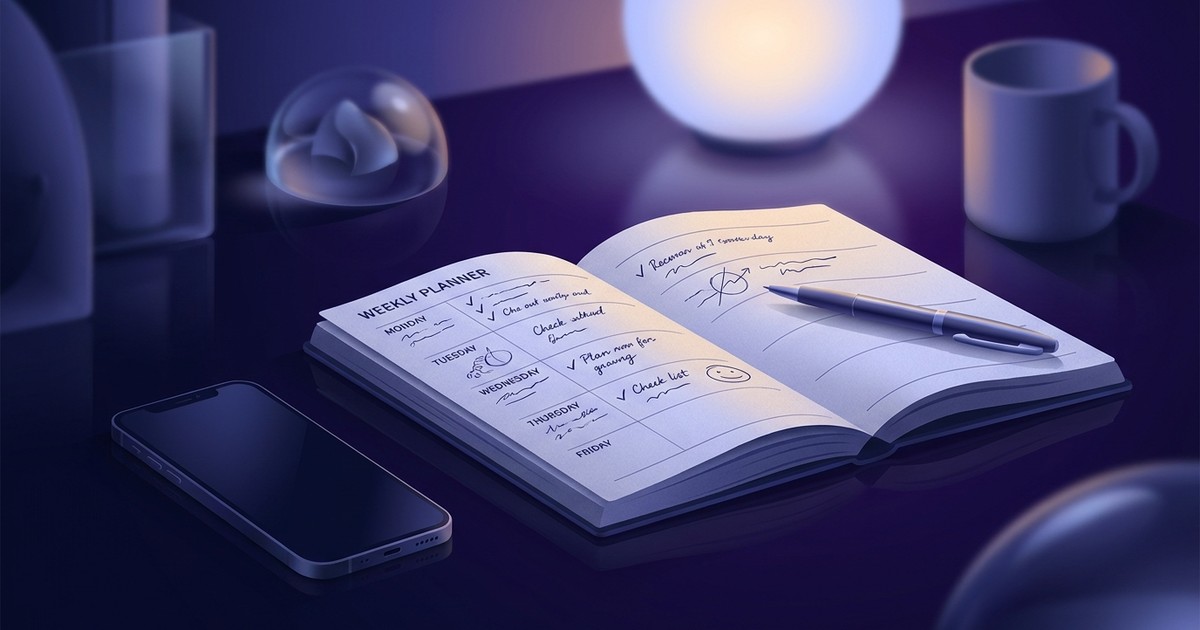
You buy the planner in late December. Hardcover, thick paper, two ribbon bookmarks. The first week is beautiful: neat handwriting, color-coded meetings, a quote at the top of Monday. Then a hectic Thursday happens and you don't open it. On Friday you see Thursday's empty page and feel a small sting of guilt. By the third week it's living under a pile of mail, and next December you buy a nicer one.
The planner was rarely the problem, and willpower usually isn't either. Most people try to use a planner the way it looks on social media, and that version has very little to do with how their week actually runs. This guide covers how to choose a format that matches your days, the minimum worth writing down, how to set up a weekly spread, and how to come back after you've skipped a few days.
A planner sticks when it takes 5–10 minutes a day and has one job: helping you decide what to do today. Pick the format by how your life runs. Lots of timed meetings call for a daily page; tasks that can move around the week call for a weekly spread; frequent gaps call for an undated planner. Each evening, write down tomorrow's fixed appointments and three priorities, glance at the page in the morning, and decide what happens to unfinished tasks on purpose. Never back-fill skipped days. Just open today's page.
Planner, diary, agenda, bullet journal: what's the difference
People use these words loosely, and that's how they end up buying the wrong thing.
A daily planner gives each date its own page, often with an hourly grid. It treats the day as the unit. It's built for people whose days are shaped by appointments.
A weekly planner shows the whole week on a two-page spread. It treats the week as the unit. It suits people whose tasks have deadlines but not fixed times, so they can shuffle work between days.
An agenda or diary is mostly a regional word for the same thing. In the UK a "diary" is usually a dated appointment book; in the US "diary" more often means a personal journal you write feelings in. If you're shopping online, search for "planner" to get the productivity kind.
A bullet journal is a method for a blank dot-grid notebook, created by designer Ryder Carroll. In its original form it's fast and plain: short entries marked as tasks, events, or notes, plus a monthly and future log. The elaborate hand-lettered spreads you see under the hashtag are a hobby built on top of the method, not a requirement of it.
For the practical question of what to buy, all of this boils down to two things: do you look at your life one day at a time or one week at a time, and can you live with fixed dates?
Why people abandon planners in week two
Knowing exactly where the habit breaks solves half the problem before you spend any money.
Too many boxes to fill. Pre-designed planners ask for a daily goal, a mood rating, water intake, sleep hours, gratitude, three priorities, an hourly schedule, and notes. Filling that in is fun for a few days. Then it starts taking twenty minutes, and on a busy day you don't have twenty minutes. Skip once and it gets easier to skip again.
Fear of ruining it. An expensive planner with pristine first pages sets a standard you don't want to lower. So you wait until you have time to "do it properly," and that time doesn't come.
Blank dates feel like a report card. In a dated planner every skipped day stays visible. Open it after a busy stretch and you're greeted by five empty pages. Your brain files the planner under "things that make me feel bad" and starts avoiding it.
The plan gets written and never read. Many people write a list in the morning and don't look at it again. The planner becomes a record of intentions instead of a tool you use during the day. If it doesn't help, there's no reason to keep writing in it.
The layout fights your life. A shift worker gets nothing from a Monday–Friday, 8-to-6 grid. A student whose classes repeat every week doesn't need a full page per day. When you have to work around the format every time you open it, you eventually stop opening it.
You bought a planner with sections for monthly goals, a water tracker, and a mood log. For a week you filled in everything. Then you dropped the water tracker, then the goals, then whole days. Now the last filled page is the 9th. The planner itself was fine. It was just given jobs that had nothing to do with getting your actual work done.
How to choose a planner that fits you
Start with your typical week. Look at covers later.
| Your situation | What fits | Why |
|---|---|---|
| Many meetings and calls at set times | Dated daily planner with an hourly grid | You see open slots and avoid double-booking |
| Deadlines but no fixed times | Weekly spread | You can move tasks between days |
| Work comes in bursts, you skip weeks | Undated planner | Empty dates don't pile up |
| You like designing your own system | Dot-grid notebook or a ring binder | The structure changes as you do |
| You carry everything in a small bag | Pocket size or an app | A planner you don't have with you doesn't work |
A few details people only think about after buying:
- Size. A5 (roughly 6 by 8 inches) is the most common choice: enough room for a day plus notes. Pocket sizes travel better but make an hourly schedule cramped.
- Lay-flat binding. The planner should stay open on its own. If you have to hold it down, you'll write in it less.
- Paper weight. Thin paper lets gel pens and highlighters bleed through. Heavier paper costs more but makes writing pleasant instead of annoying.
- Start date. A January planner bought in September wastes eight months of pages. Look for academic-year planners (July or August start) or undated ones.
- Second ribbon. One ribbon for today, one for your weekly overview or "later" list. Small thing, saves a lot of flipping.
Don't buy the expensive one first. Treat the first month as a test of the format. A cheap notebook that taught you that you need a weekly spread is worth more than a gorgeous planner in the wrong layout.
Paper planner or app
The useful question is what you'll actually open every day.
Paper wins when you need to think. Writing by hand is slower, and that slowness helps: you notice that you've put eight big tasks on Tuesday and cross a few out. Paper also can't ping you. When the planner is open, you're in it, with no chat window sliding in from the corner.
An app wins where paper is clumsy: recurring tasks (no rewriting "pay rent" every month), reminders, access from any device, and searchable history. You also can't leave an app in a cab.
Plenty of people settle on a mix: paper for weekly planning, thinking, and notes; an app for recurring chores and the day's tasks that get checked off on the go. That works as long as each tool has its own role. It breaks down when the same tasks live in two places, because sooner or later you stop knowing which list is the real one.
The rule is simple: every task has one home. If your daily tasks live in your phone, your paper planner holds the week's big picture, notes, and ideas, and doesn't copy the list.
How to use a planner: the 10-minute daily routine
There's no secret system here. It works because it's short and happens at the same time every day.
Evening, 5–7 minutes:
- Open tomorrow's page.
- Write down everything tied to a time: meetings, calls, a dentist appointment, school pickup at 3:15.
- Look at the gaps between them and be honest about how much time is left for your own work.
- Choose three priorities for tomorrow. If you only finish those, the day counts.
- If you really want, add a short "if there's time" list underneath.
Morning, 1–2 minutes: read the page. Don't add anything unless something new came up. The point is to start the day from your plan before your inbox gets a vote.
During the day: check things off as soon as they're done. That tiny moment of completion is the reward that keeps you coming back to the page.
Evening, before planning tomorrow: go through today's list. Every unfinished task gets one of three decisions: move it to a specific day, cross it out for good, or hand it to someone else. Copying everything forward out of habit is exactly how a planner turns into a guilt list.
- Date and one word for the kind of day (office, travel, heavy, off)
- Fixed times: meetings and anything with a clock attached
- Three priorities
- If there's time: two to four items
- Notes: phone numbers, ideas, what someone said on a call
- One evening line: what got done, what moves
Five blocks is the ceiling. If you're itching to add sleep, water, and mood trackers, run this template for a month first.
How to set up a weekly planner spread
A weekly spread shows how work is distributed. If Monday has eight tasks and Friday has one, you see it on Sunday instead of finding out on Wednesday.
When. Sunday evening or Monday morning, 15–20 minutes. This is the only "long" planning session of the week.
In this order:
- Fixed items first. Write in everything that can't move: meetings, deadlines, birthdays, travel.
- Then the week's priorities. In a strip at the top or side, two or three things that would make this week a success by Friday. Keep it to those two or three.
- Spread the priorities across days. Each big item gets a day, and ideally a part of the day. "Quarterly report" becomes "Tuesday morning: pull the numbers; Wednesday morning: write it up."
- Leave slack. At least one day, or two half-days, with nothing planned. That's where slipped tasks land. Without slack, the first thing that runs late knocks over the whole week.
- Small stuff in its own column. Calls, errands, bills. They don't need a day assigned; they just need to be visible.
Each evening during the week, look at the spread and fill in tomorrow's details. At the end of the week, take a quick look back: what got done, and what moved for the third time in a row. A task that keeps moving is either too big and needs breaking down, or it's time to admit you're not doing it.
If you want a weekly planner template, you can draw one on any blank spread in five minutes: seven narrow rows for the days on the left page; on the right, a "this week" box, then "small stuff," then "notes." Printable templates are fine, but one you drew yourself already fits the way you work.
What to do after you skip days or weeks
You will skip. Illness, vacation, a crunch at work, or just a bad week. Skipping rarely kills a planner. Not knowing how to come back does.
Don't back-fill. Reconstructing what you did last Wednesday is pointless and comes with a heavy side of guilt. Leave the empty pages empty.
Start with today. Open the current day and fill it in the usual way. It takes the same five minutes as always.
After a long gap, do a reset page. One page, ten minutes: what's urgent right now, which old plans still matter, what you can let go. Then back to normal.
Switch to undated if gaps are regular. If you lose a week every month, a dated planner will keep punishing you with blank pages. An undated one just continues on the next sheet.
Once a missed day stops being a disaster, the planner survives vacations, sick weeks, and brutal months. Six months in, you have a well-used tool with gaps in it, and you return to it within a day of any break.
Planners for different lives
The core routine is the same for everyone. What changes is where the weight goes.
Students rarely need a page per day, because the class schedule repeats. A weekly spread with room for classes and assignments, plus a running list of deadlines for the semester, usually does more. The classic student trap is the big paper or project that lives in your head and never makes it onto a page. Break it into steps and assign them to weeks early.
Remote workers can use a planner to separate work from home. Write down not only tasks but when your workday starts and ends, and stick to it. When the kitchen table is also the office, a line saying "done at 6:00" becomes a small shutdown ritual.
Parents often run two calendars at once: their own and the kids'. Practice schedules, parent-teacher conferences, permission slips, vaccinations. A simple fix is one column or color for family logistics and another for your own tasks. Make sure your own column has at least one thing a day that's actually for you.
People with ADHD tend to struggle with exactly the long templates and dated pages. What often helps: an undated notebook, very short entries, big checkboxes, and a planner that sits open on the desk where you can see it. The rule "one page per day, however much or little is on it" removes the pressure. When starting is hard, write the first physical action: "open the report file" instead of "do the report."
People who work in a stream of incoming requests – support, account managers, office admins – often find a detailed daily plan useless, because the first urgent message wipes it out. A different approach works better here: two things in the morning that must move forward no matter what, and running notes during the day on who asked for what. In the evening those notes get sorted, and some become tomorrow's tasks.
Mistakes that turn a planner into a chore
Writing down everything. With twenty items on today's list, nothing looks important, and in the evening you stare at fifteen unchecked boxes. This happens when the planner becomes the dumping ground for every thought. Separate the day's tasks from a "someday" list kept on a back page.
Planning for a perfect day. The list assumes no task runs long, nobody calls, and lunch takes ten minutes. Real tasks almost always take longer than they look at planning time. If half your list is left every evening, plan for half the time.
Decorating instead of planning. Making pages pretty isn't harmful if you enjoy it. It becomes a problem when you won't open the planner unless you have time to decorate. Easy test: if you've skipped a day because you couldn't make it look nice, decoration has become a gatekeeper.
Rewriting the same task forever. The same item moves from Monday to Tuesday to Wednesday for two weeks. That usually means it's too big or too vague. Instead of moving it again, ask what the first fifteen-minute step is, and write that.
Never looking back. A planner you only write in teaches you nothing. Once a week, flip through the past pages: what slipped, which days were overloaded, what you keep postponing. That review is where most of the value of writing things down actually shows up.
Keeping it in your bag. Sounds trivial. If you have to dig it out, you'll use it less. At home and at work, it should lie open on the desk.
When you don't need a planner
A planner isn't a badge of being organized. Sometimes it's just extra work.
Your day is set by someone else. Shift work, retail schedules, a clinic roster: the plan is already made for you. A calendar for personal appointments and a short shopping list are enough.
All your work lives in a team tool. If your team uses a shared board where every task already has an owner and a due date, copying it into a personal planner doubles the work. Keep the planner for personal life or notes, and leave the work list where it is.
You're going through a hard stretch. Burnout, illness, grief. Hour-by-hour planning can add pressure when you have nothing to spare. One task a day and one line in the evening is plenty. So is a pause.
You keep not opening it. If you've honestly tried three formats for a month each and none stuck, your phone might simply suit you better, with tasks living where you already spend your time. That's a fine outcome, just a different tool.
How to tell your planner is working
Neat handwriting and pretty pages don't count. Look at this instead:
- you open it almost every day, even if you write only two lines;
- in the evening you know what tomorrow looks like without effort;
- important things stopped "suddenly" appearing the day before they're due;
- after a gap you're back within a day or two;
- once a week you see where your time went and change something for the next one.
If three of these five are true after a month, the format fits. If not, change the format and go easy on yourself.
What to do today
- Think about your typical week and answer one question: do you need to see the day or the week?
- Grab any notebook you already own. Don't buy a new planner yet.
- Tonight, open a page for tomorrow and write down the fixed appointments and three priorities.
- Leave the notebook where you'll see it in the morning.
- Tomorrow evening, spend five minutes: check off what's done, decide what happens to the rest, write the next day.
In two weeks you'll know which format you need. That's when to buy the beautiful one.
Frequently asked questions
What's the difference between a daily and a weekly planner?
A daily planner gives each date its own page, often with an hourly schedule, so it works best if your days are full of appointments. A weekly planner shows seven days on one spread, which makes it easier to move tasks around and see how the week is balanced. If most of your tasks have deadlines but no fixed time, weekly is usually the better fit.
What kind of planner should I get if I've quit several before?
Something undated, small, and plain. Blank dates and a dozen boxes to fill in are the two most common reasons people quit. Start with a simple notebook and a five-line daily template, and only buy a nice planner once you know which layout you actually use.
Is a paper planner better than a planner app?
It depends on which one you'll open every day. Paper is better for thinking and weekly planning; an app is better for recurring tasks, reminders, and checking things off on the go. Using both is fine as long as each task lives in only one place.
How much time should planning take each day?
About five to ten minutes: plan tomorrow in the evening, reread the page in the morning. Add 15–20 minutes once a week for the weekly spread and a quick review. If it takes much longer, your template probably has too many sections.
Should I fill in the days I skipped?
No. Back-filling is pointless and mostly produces guilt. Open today's page and carry on. After a long break, use one page to sort out what's urgent, what still matters, and what you can drop.
Can I start a planner in the middle of the year?
Yes. Get an undated planner or an academic-year one so you don't waste half the pages. The method itself doesn't depend on when you start.
How do I stick with a planner past the first week?
Cut the template down to the minimum, use it at the same time every day, keep it visible, and don't punish yourself for gaps. A planner survives when it helps you decide what to do today and doesn't ask for more than a few minutes to do it.
If your phone is closer to hand than paper, or you want to combine the two, Do It Today covers the parts where paper is awkward. It has daily tasks with three states, recurring tasks you don't have to rewrite every week, habits, a priority board, and a history of past days, so you can scroll back a week and see what kept getting pushed. A focus timer counts your work sessions for the day and the week. It's free, installs on your phone like an app, and syncs across your devices.
Try it right now
Tasks, a focus timer and habits on one screen. Open it and you instantly see what to work on.
Start for free
Marketer and online school founder. Runs his own day in this tracker – which is where the three-state tasks, the focus timer and the day history came from.